Why Can I Charge My Tesla With a Universal J1772 Charger?

Time:2026-09-26 Author:Ethan
0%

Can I charge my Tesla with a universal J1772 charger? In most cases, yes, if you have a compatible J1772-to-Tesla adapter. Many North American Tesla models can use this adapter to connect to Level 2 AC charging stations. Check your vehicle’s manual or Tesla’s support information before plugging in, since equipment and compatibility can vary by model and year. Usually, it’s simple.

At a public charger, you may see a J1772 handle with a thick cable and a small status screen. Attach the adapter securely, connect the handle to your Tesla, and follow the charger’s prompts. Charging speed depends on the station’s power, your vehicle’s onboard charger, and other conditions, such as battery temperature. An adapter does not make a slower charger faster. It only connects the plug.

There are limits worth noticing. A J1772 Level 2 charger is different from a DC fast charger, and this connection will not provide DC fast charging. If charging does not start, check that the adapter is fully seated, the cable is locked, and the station is operating normally. A worn adapter or damaged connector should not be used. I would also avoid assuming every “universal” station works identically; charger instructions and Tesla guidance are the better references. With the right adapter and a working station, J1772 charging can be a practical option when a Tesla-specific connector is unavailable.
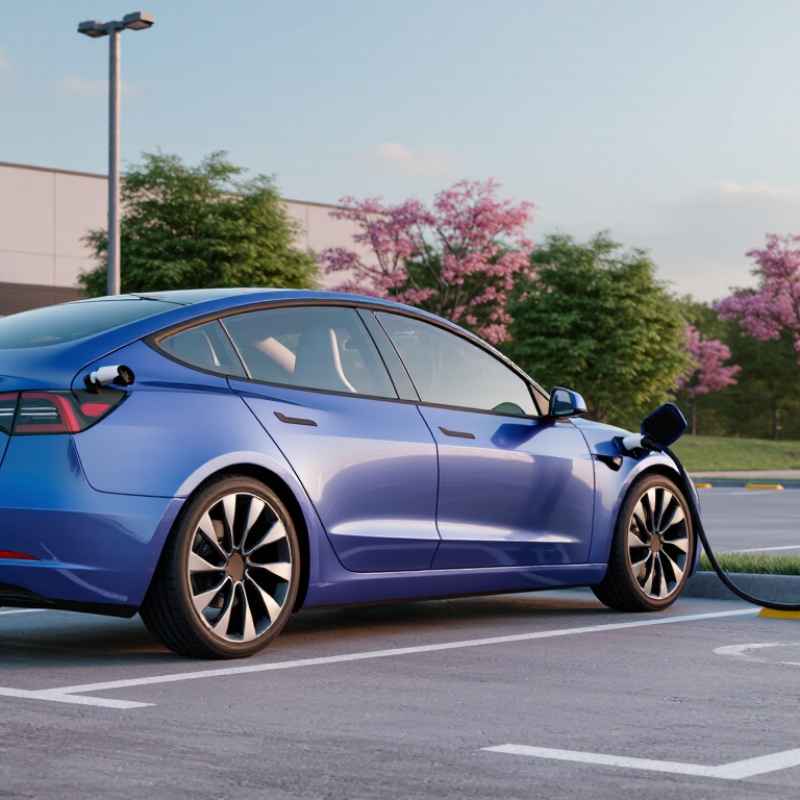
Why Can I Charge My Tesla With a Universal J1772 Charger?

How the J1772 Charging Standard Works

A universal J1772 charger works because SAE J1772 standardizes the connector and communication used for many AC charging sessions. The plug supplies alternating current; the vehicle’s onboard charger converts it for the battery. A small control signal lets the charger and vehicle confirm connection and agree on safe current limits. The latch and proximity circuit help prevent an unsafe disconnect. That distinction matters.

“Universal” does not mean every vehicle accepts the plug directly. Some vehicles need a compatible adapter, and charging speed still depends on the car’s onboard charger, the station’s power, and battery conditions. The U.S. Department of Energy’s Alternative Fuels Data Center describes Level 2 charging as typically using 208 or 240 volts, often adding roughly 10–20 miles of range per hour. Real results vary. A cold battery or a lower-powered vehicle can make that estimate feel optimistic.

Tips: Check your vehicle manual for approved adapter and charging limits. Before plugging in, inspect the connector for damage and make sure it seats firmly. If the session starts slowly, check the station’s displayed power and your vehicle’s charging settings before assuming the connector is faulty.

Why Tesla Vehicles Can Use J1772 Chargers

Many electric vehicles can use a J1772 charging station because the connector is a widely used AC charging standard in North America. A compatible adapter bridges the station’s plug and the vehicle’s inlet. It does not change the type of electricity. The vehicle’s onboard charger converts incoming AC power for the battery. Simple, but not magic.

During charging, the station and vehicle exchange signals to confirm that the connection is secure and charging can begin. The vehicle then draws power within the limits of its onboard charger and the station. A slower rate may reflect either limit, not a faulty adapter. Check the vehicle manual for approved adapters and maximum AC charging rates. Fit matters.

J1772 is for AC charging, not every public charging plug. DC fast-charging stations use different connectors and charging systems, so a J1772 adapter generally will not make those plugs compatible. It is easy to assume that one adapter covers every situation; it does not. Before a trip, check the station’s connector, the adapter’s rating, and the vehicle’s inlet. A quick look can prevent an unplanned stop.

The Role of a J1772-to-Tesla Adapter

Public charging access is expanding, but connector mismatch can still leave a driver searching for another station. The International Energy Agency reported that public charging points worldwide exceeded 4 million in 2023, with more than 1.3 million added that year. A J1772-to-vehicle adapter helps bridge one common gap: it connects a J1772 AC charging plug to a compatible vehicle inlet. Small part, big difference.

The adapter is a physical and electrical interface, not a power converter. The charging station and vehicle still manage the AC charging session and set the charging rate. In practice, the adapter must be approved for the vehicle, correctly rated, and fully seated at both ends. Check the station’s connector and the adapter’s current rating before plugging in. Never force a stiff connection.

This adapter is for J1772 AC charging; it does not turn a J1772 plug into a DC fast-charging connector. Station condition, vehicle settings, and adapter fit can all affect whether charging starts. I still check the latch and cable before walking away; it takes seconds. One detail is easy to miss: a universal connector does not mean every adapter works with every vehicle or station.

Why Can an Electric Vehicle Charge with a Universal J1772 Charger? The Role of a J1772-to-Vehicle Adapter

Topic How It Works What It Means for Charging
J1772 connector J1772 is a widely used standard for AC charging connections in North America. A vehicle with a different compatible AC inlet can connect to a J1772 charging cable through a correctly designed adapter.
Adapter function The adapter provides a physical and electrical connection between the charging plug and the vehicle inlet. It does not create extra power or convert AC electricity into DC electricity.
AC-to-DC conversion During AC charging, the vehicle’s onboard charger converts incoming AC power into DC power for the battery. The vehicle’s onboard charger and charging controls determine how much AC power it can accept.
Charging speed Charging rate depends on the available power supply, the charging equipment, the adapter’s rating, and the vehicle’s onboard charger. The effective rate is limited by the lowest applicable capacity in the charging setup.
Communication and safety Standard AC charging equipment uses signaling to coordinate charging and indicate connection status and available current. A suitable adapter must preserve the required connections and safety functions; a simple shape-changing plug is not enough.
Compatibility check Compatibility depends on the vehicle inlet, the adapter’s intended use, and the charging equipment’s output. Check the vehicle and adapter documentation before connecting, and use an adapter specifically rated for the application.
AC versus DC charging J1772 AC charging and DC fast charging use different charging methods and connection requirements. An AC adapter should not be assumed to work with DC fast-charging equipment.
Practical takeaway A compatible adapter allows a vehicle with a different inlet to use a J1772 AC charging connection. Safe, effective charging still depends on vehicle compatibility, proper ratings, and the limits of the complete charging system.

How to Connect and Start a J1772 Charging Session

A universal J1772 station can charge a vehicle with a compatible J1772-to-vehicle adapter. Check the adapter’s rating and your owner’s manual before connecting. J1772 is commonly used for Level 2 AC charging, but the vehicle’s onboard charger sets the practical charging speed. The U.S. Department of Energy’s Alternative Fuels Data Center estimates Level 2 charging can add about 10–20 miles of range per hour. Actual results vary with the vehicle, equipment, and temperature.

Park close enough for the cable to reach without tension. Open the charge port, attach the adapter to the J1772 connector if needed, then plug it into the vehicle. Some stations require a payment card or app before charging begins; others start after connection. Follow the station’s screen prompts, then check the vehicle display for a charging status. Wait for confirmation. A connected plug does not always mean power is flowing.

If charging does not start, check that both ends are fully seated and that the station has authorized the session. A locked vehicle or an incompatible adapter can also interrupt the process. To finish, stop the session using the station or vehicle controls, wait for the connector to unlock, then remove it gently. Small detail, but worth checking: keep the cable off wet ground where possible. Charging instructions differ between equipment, and I would not assume every station behaves the same way. Source: U.S. Department of Energy, Alternative Fuels Data Center, “Charging at Home.”

Why a J1772 Charger Can Charge a Vehicle With a Compatible Adapter

J1772 supplies AC power. In the United States, Level 1 commonly uses 120 V, while Level 2 uses 208–240 V. To connect, plug the J1772 connector into an adapter approved for your vehicle, then connect the adapter to the vehicle’s charge port. Check that charging begins; some stations may also require you to start the session at the charger or in its app. The adapter provides a compatible connection, but it does not increase charging power: the station and the vehicle’s onboard charger determine the actual rate.

Charging Speeds and Compatibility Limits

A J1772 charging station can supply power to many electric vehicles through a compatible inlet adapter. The connector itself does not guarantee a particular charging speed. On a typical 240-volt Level 2 station, the vehicle’s onboard charger sets an important upper limit, while the station’s available current may impose another. The lower limit usually determines the actual rate.

The label can mislead. A station rated for 40 amps may deliver less if its circuit is shared or power is restricted. Cold weather, a nearly full battery, or battery conditioning can also slow charging. In practice, check the vehicle manual for the approved adapter and its current rating, then compare that rating with the station’s output. A small screen showing kilowatts can help, but readings may fluctuate during a session.

J1772 is an AC charging connection, not a universal fast-charging plug. It will not provide DC fast charging through a simple inlet adapter. Even when the adapter fits securely, charging speed remains bounded by the vehicle, adapter, and station. A few minutes spent checking compatibility can prevent a frustrating stop.

FAQS

What does a J1772-to-vehicle adapter do?

It connects a compatible vehicle inlet to a J1772 AC charging plug. It is an interface, not a power converter. Small part, big difference.

Can this adapter be used for DC fast charging?

No. It supports J1772 AC charging, not DC fast charging. Check the station and vehicle connector types before connecting.

What should I check before plugging in?

Confirm vehicle compatibility, the adapter’s current rating, and the owner’s manual instructions. Inspect both ends and seat them fully. Never force a stiff connection.

How do I start a charging session?

Park close enough for the cable to reach without tension. Attach the adapter to the J1772 plug if needed, then connect it to the vehicle. Follow the station prompts and wait for charging confirmation.

How quickly will the vehicle charge?

The vehicle’s onboard charger, station, and temperature affect charging speed. Level 2 charging may add about 10–20 miles of range per hour. Actual results vary.

What should I do if charging does not start?

Check that both connections are fully seated and the station has authorized the session. Vehicle settings or adapter compatibility may also be factors. Frustrating, but worth checking.

How should I end the charging session?

Stop charging with the station or vehicle controls. Wait for the connector to unlock, then remove it gently. No yanking.

Are there simple cable safety checks?

Keep the cable free of tension and off wet ground where possible. Check the latch and cable before walking away. I still double-check.

Conclusion

Can I charge my Tesla with a universal J1772 charger? In many cases, yes. J1772 is a widely used standard for AC charging, and compatible vehicles can connect to these chargers with the correct adapter. The adapter bridges the charger’s plug and the vehicle’s charging port, allowing the equipment and car to communicate and begin a charging session.

To charge, check that the charger and adapter are suitable for your vehicle, connect the adapter to the charging plug, and then attach it securely to the vehicle. Follow the charger’s prompts to start the session, and confirm that charging has begun. Charging speed depends on the charger’s power output, the vehicle’s onboard charging capacity, and other conditions. A universal J1772 charger may therefore work, but it will not necessarily deliver the fastest possible charge, and compatibility or adapter limits may affect the experience.

Ethan

Ethan

Ethan is a seasoned marketing professional with a deep expertise in our company's innovative product line. With a passion for sharing knowledge and insights, he takes the lead in regularly updating our corporate blog, where he explores industry trends, product features, and effective marketing......